It depends on who is dancing, because "a wedding dance video" is three different jobs. If it is the couple, make a short clip from an engagement photo with the consumer app, a week or more before the day, for the invitation, the slideshow or social. If it is one guest, make a clip of yourself as a gift or toast moment, also ahead of time. If you want every guest to get their own video during the reception, that is the events product, where guests scan a QR code and the videos arrive on their phones. The first two are a few minutes of your own work. The third is a purchase with a venue-connectivity risk. Skip all three at a formal seated reception that does not want a phone-led moment.
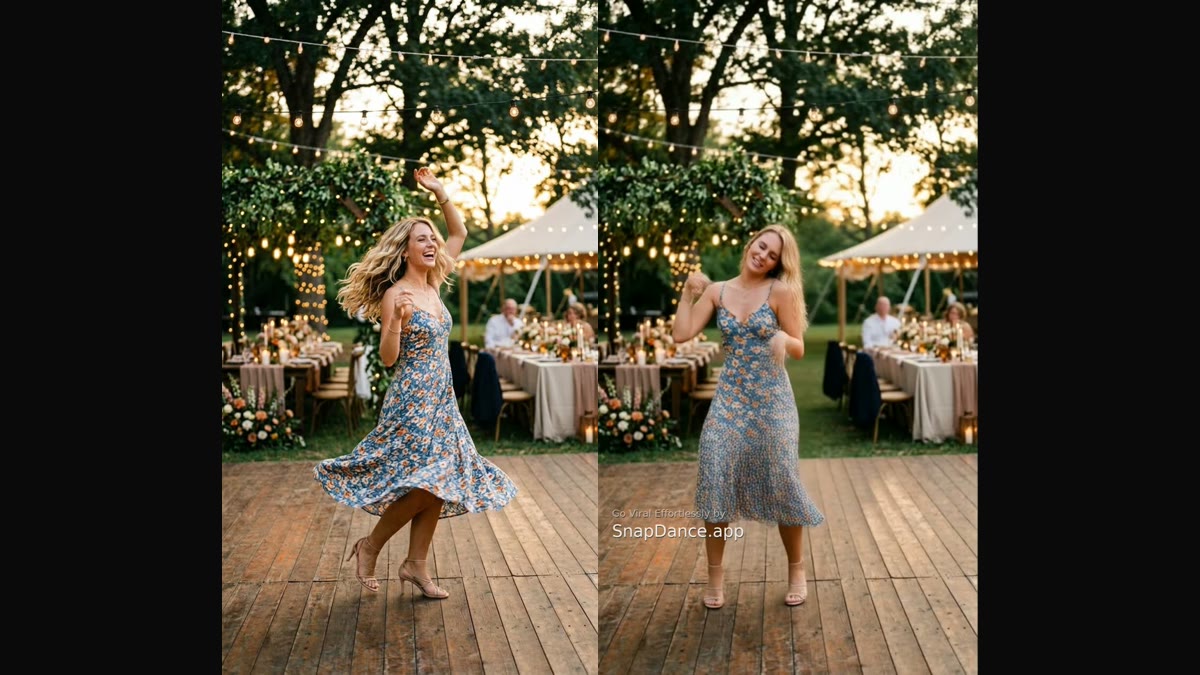
Ask how to make an AI dance video for a wedding and the honest first answer is another question: who is going to be in the video, and who is going to make it? A couple making a clip of themselves, a guest making a gift, and a planner making a clip for each of a hundred and twenty guests share a technology and almost nothing else. The steps, the timing and the things that go wrong are different for each.
The three jobs, side by side
Here is the whole decision in one table. The sections below take each case in turn.
| 1. The couple | 2. One guest | 3. Every guest | |
|---|---|---|---|
| Who does the work | One of the couple, on a phone | The guest, on a phone | Planner sets it up; guests make their own |
| Tool | SnapDance consumer app | SnapDance consumer app | SnapDance for Events |
| Cost | Free credits at first, paid after; free renders carry a small watermark | Same as the couple | Mini Event $149 for 25 videos, Intimate Event $299 for 50, Signature Event $699 for 150 |
| Time needed | About 15 minutes, plus a few minutes of rendering per clip | About 15 minutes, plus rendering | Setup ahead of time; guests spend about a minute each on the night |
| When | Days or weeks before | Days before | During the reception |
| What can go wrong | A weak photo, or a dance that does not suit the tone | Leaving it to the day, or a dance that embarrasses the couple | Poor venue signal, or nobody tells the guests it exists |
Case 1: the couple wants a fun clip
This is the simplest version and the one with the least risk. You upload one photo of yourself, pick a dance from the library, and the app renders a short clip of you doing it. SnapDance clips are typically 10 seconds, with 20 and 30 second lengths on some dances, and rendering takes a few minutes.
Steps
- Pick the photo. An engagement photo works well, or any clear, well-lit shot where your face is visible and your body is not hidden behind a bouquet or another person. Keep it to one person per photo.
- Pick the dance. Browse the library and choose something that suits the audience. A dance that reads as playful to a group of friends can read very differently to a grandmother. You can only choose from the dances that exist, you cannot ask for a particular movement.
- Add music if you like. You can pick a track, or keep it light and let the clip speak for itself.
- Render, watch, and render again. The first result is rarely the one you keep. Try a second photo or a second dance before you decide.
When and how to show it
Do this days or weeks before the wedding, never on the morning of. Rendering is quick, but your attention on the day is not free, and a clip you have not watched twice is a clip you should not play to the room.
- On the invitation or save-the-date page, as a short looping clip.
- In the slideshow, as one 10 second beat among the childhood photos, where it tends to get a laugh.
- On social, in the run-up, so it works as a teaser.
- In the family group chat, the lowest-stakes option and often the one people enjoy most.
If you want to see what a photo looks like before you commit to a dance, you can try it with your own photo and use the free credits first.
Case 2: one guest makes a clip as a gift
A guest, a best man or a bridesmaid can use the same app for a small gift: a clip of themselves doing a dance, sent to the couple, or a short video to open a toast. It is a modest idea and it works because it is cheap and personal.
The same timing rule applies, with extra force. Make it at least a couple of days ahead, send it privately first if it is going on a screen, and have someone check it. A toast-opening clip is shown to the whole room, and the guest making it is not the one who has to live with the reaction if the dance choice is wrong.
Two practical points. Free renders carry a small watermark, so if the clip is going on a venue screen or into a keepsake and you want it clean, plan for paid credits. And ask the couple before you play anything: some people love being surprised and some do not, and a clip that features the couple's face is theirs to approve.
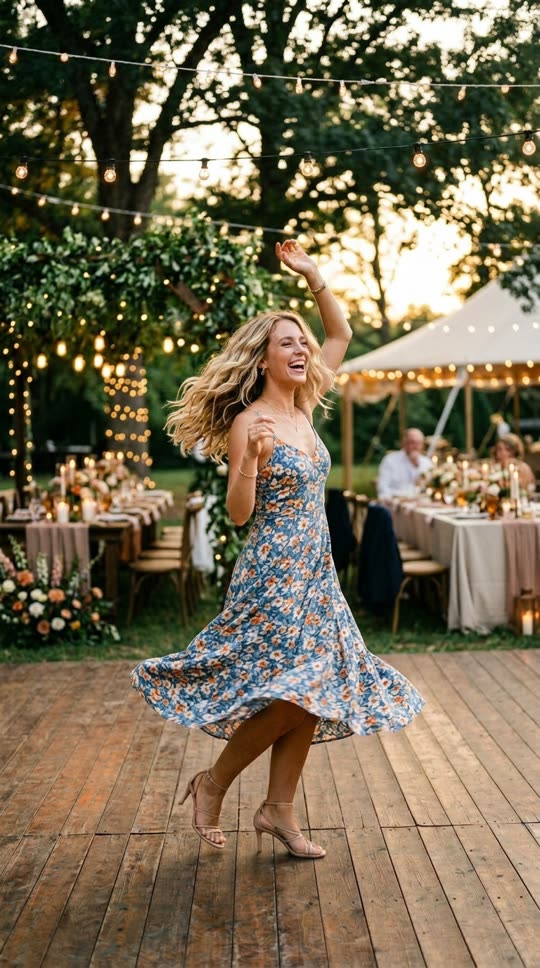
Before: one ordinary photo
After: the same person, same setting, now dancing
The face, clothing and background stay as they were. Only the motion is generated.
Case 3: every guest makes one during the reception
This is a different product entirely. SnapDance for Events is built for a planner, a DJ, a venue or a couple who wants guests to take part, not for one person making one clip.
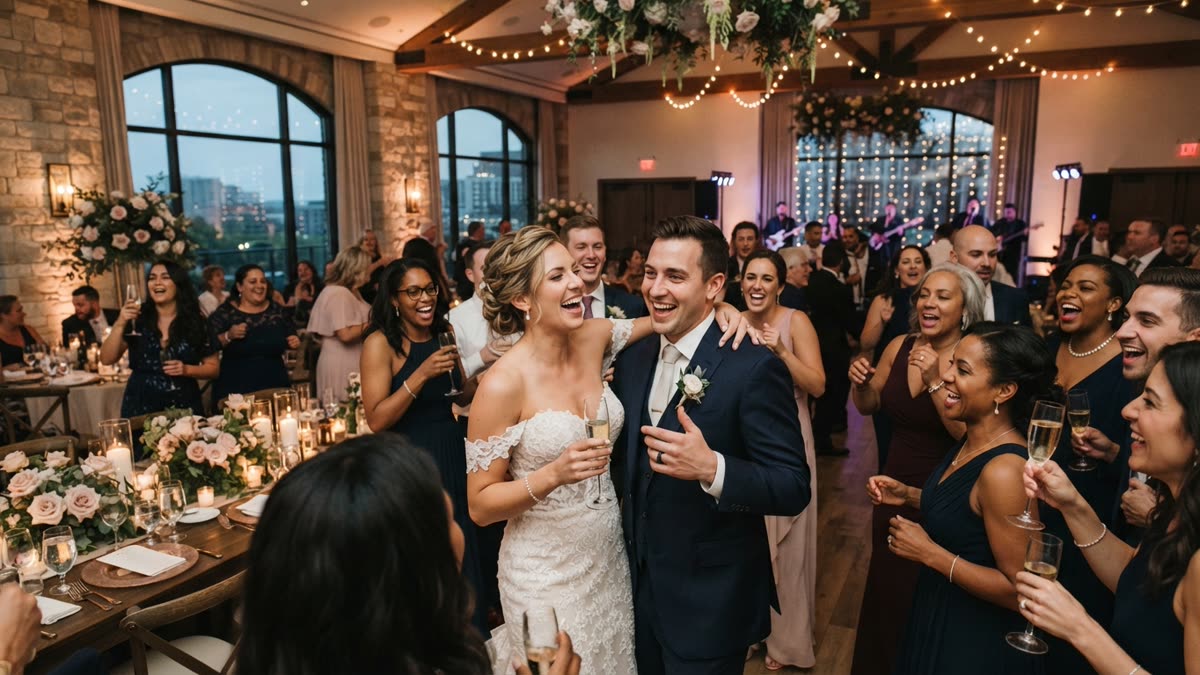
How it works on the night
- A QR code goes on tables, on the welcome sign or on the screen.
- A guest scans it, takes or uploads one photo, and picks a dance.
- Photos go through a moderation check before rendering.
- The video arrives on the guest's own phone, and a venue screen can play the videos as they finish.
The planner's logo and text can be placed on every video, which suits a couple who wants their names or a hashtag on each clip. There is also a "surprise mode", where staff photograph attendees for a coordinated reveal instead of each guest taking part on their own phone.
Cost
It is priced per video, not per hour. The published packages are Mini Event at $149 for 25 videos, Intimate Event at $299 for 50, and Signature Event at $699 for 150, which works out at $4.66 per video. Large Events & Activations is a custom quote. Extra video packs exist but are not priced publicly, so ask rather than assume. There is no hardware, no transport and no operator to book.
One practical consequence of per-video pricing: size the package to the number of guests who will realistically take part, not to the guest list. Not everyone will, and that is fine.
What goes wrong, and how to avoid it
Most failures are not technical. They are about timing and expectations.
- Doing it on the day (cases 1 and 2). Make the clips days ahead, watch them, and have a second person look. Nothing you generate in a hurry should reach a screen.
- Nobody announces it (case 3). A QR code on a table card is easy to ignore. The DJ or the host needs to say it out loud, once early and once again after dinner.
- A weak photo. Group shots, sunglasses, heavy filters and dark rooms all give worse results than a clear single-person photo. At a reception, a quick note next to the QR code, "face the camera, one person", helps.
- A dance that does not fit. The library is real choreography, much of it from TikTok. Preview before you present, especially if grandparents are in the room.
- Poor venue signal (case 3). The events product depends on guests' phones reaching the internet. A barn in a valley or a ballroom with thick walls is a bad fit.
When to skip it
An AI dance video is not right for every wedding, and saying so is more useful than a pitch.
- A formal seated reception. If the evening is structured around speeches, a plated dinner and a quiet room, a phone-led activity can feel out of place. The consumer clip in a slideshow may still suit it. The events product probably does not.
- Bad venue connectivity. If you already know the signal is poor, do not build the evening around guests uploading photos.
- An older guest list. Plenty of older guests will happily scan a QR code, but if most of the room would rather not be handed another task, the take-up will be low and the package will be mostly unused.
- You want a centrepiece, not ambient participation. The events product is something guests dip into over the evening, like a photo booth. If you want one moment the whole room watches together, a prepared clip from case 1 or 2 on the screen, or a live performer, will do that better.
Choosing between them
You can do more than one. A common combination is a prepared clip from the couple in the slideshow and the events product running through the evening for everyone else. If money or attention is limited, start with case 1: it costs nothing to try, takes one photo, and tells you whether this style of thing suits your wedding.
Frequently asked questions
How do I make an AI dance video for a wedding?
It depends on who is dancing. For the couple or a single guest, upload one photo to the SnapDance app, pick a dance and render a short clip days before the wedding. For every guest at the reception, use the events product, where guests scan a QR code and get their own video on their phone.
Can I make an AI dance video from an engagement photo?
Yes. A clear engagement photo with one person visible and the face unobstructed is a good starting point. Photos with sunglasses, heavy filters or several people tend to give weaker results.
How long does it take to make one?
About 15 minutes of your time to choose a photo and a dance, plus a few minutes of rendering. Clips are typically 10 seconds, with 20 and 30 second lengths on some dances. Do it days ahead, not on the day.
How much does it cost?
The consumer app gives new accounts free credits before any payment, and free renders carry a small watermark. For events, the published packages are $149 for 25 videos, $299 for 50 and $699 for 150, priced per video, with a custom quote for large events.
Can I ask for a specific dance move or a custom routine?
No. You choose from the dances in the library. If the movement you picture is not there, SnapDance cannot make it, and it is better to know that before you plan around it.
What if the venue has bad reception?
The events product depends on guests' phones connecting, so a venue with poor signal is a bad fit. The consumer clips from cases 1 and 2 are made beforehand and are not affected, as long as you can play them from a saved file.