You can make a TikTok dance video without filming yourself by uploading one photo to a photo-to-dance tool, picking a dance, and waiting a few minutes for the clip. We make SnapDance, which works this way: one photo, a dance from a template library, optional music, and a short render, typically 10 seconds. It cannot make a dance that is not in the library, it will not prove you can dance, and free renders carry a small watermark. If you need something it cannot do, a stand-in dancer or your own phone is the better route.
The short answer
You can make a TikTok dance video without filming yourself by letting software generate the clip from a photo. You upload one picture of yourself, choose a dance, and an AI renders a short video of you doing it. There is no tripod, no mirror and no routine to memorize.
We make one of these tools, SnapDance, so read this guide with that in mind. We will cover the other ways to get a similar result, walk through how our app works, and say plainly where it is the wrong purchase.
It helps to know why you do not want to film. Some people are camera shy. Some cannot dance and do not want to spend an evening learning a routine for one post. Some want a funny clip of themselves doing a trend they would never attempt in public. The best method depends on which of those is you.
A quick word on expectations. None of these methods gives you a perfect substitute for a person dancing. Each one gives you something close enough for a post, a joke or a gift, and each has a catch. Most of this guide is about the catches.
Four ways to get a dance video without being on camera
These are general categories, not reviews of specific products. Each one trades something away.
| Approach | What you need | What you get | Main limit |
|---|---|---|---|
| Photo-to-dance AI app | One photo of yourself | A short clip of you doing a template dance | Only the dances the tool offers |
| Avatar or cartoon dancer | A character or avatar | A figure dancing that is not recognizably you | Not your likeness, and setup effort varies |
| A stand-in who films | A willing person and a place to film | Real choreography and real movement | The dancer is not you, and it needs coordination |
| Dance-free video on a trending sound | Photos or clips and an editor | A video cut to the beat | Not really a dance video |
Photo-to-dance AI
This is what most people mean by the question. The output looks like you doing a dance you did not perform. The limit is the menu: you can only get the dances the tool has built.
Avatar or cartoon dancer
This suits you if you do not want your own likeness in the video. The result is a character, not you, so it works better for a mascot or an anonymous account than for a personal post.
A stand-in who films
A friend, a hired dancer or a colleague performs the routine. You get real movement, but you also need a person, a location and some planning, and the person on screen is not you.
Dance-free video on a trending sound
Photos or clips cut to the beat keep you off camera and are easy to make. It will not satisfy anyone who wants to see a dance, though.
How to make one with SnapDance, step by step
The SnapDance consumer app is on the iOS App Store and Google Play, and you can also start from the try page on our site. The flow is short.
- Upload one photo of yourself. A single image is all it asks for.
- Pick a dance. The library is made of templates taken from real choreography, many of them from TikTok creators. Browse until you find one you would like to be seen doing.
- Pick music, if you want to. This step is optional.
- Wait for the render. It takes a few minutes. The AI then produces a short clip of you doing the dance.
- Use the clip in your post. Add it to TikTok the way you would add any other video you made.
New accounts get free credits before any payment, so you can see the result with your own face before you decide anything. Free renders carry a small watermark. Paid credits and the subscription render clean, so if you plan to post publicly without a mark, budget for that.
Because the templates come from real choreography, you are choosing a known routine, not inventing one. That is the point for most people: you pick a dance you have seen, and you appear in it.
Make your first dance clip with free credits.
What you get, and what you do not
SnapDance is narrower than the words AI video suggest, so set your expectations before you start.
- Length. Output is typically 10 seconds. Some dances offer 20 or 30 seconds.
- Speed. Rendering takes a few minutes, not seconds. It suits planning a post more than reacting to a trend in the moment.
- Choice. You choose from the library. You cannot request an arbitrary movement, and if a dance is not in the library the answer is no.
- Watermark. Free renders carry a small watermark. Paid credits and a subscription render clean.
- Your photo. This guide does not list photo requirements, so a clear, well-lit photo of you is a sensible first try.
None of this is hidden, but it is easy to miss if you expect a tool that can animate anything you describe. This one does a defined job: it puts you into a set of existing dances.
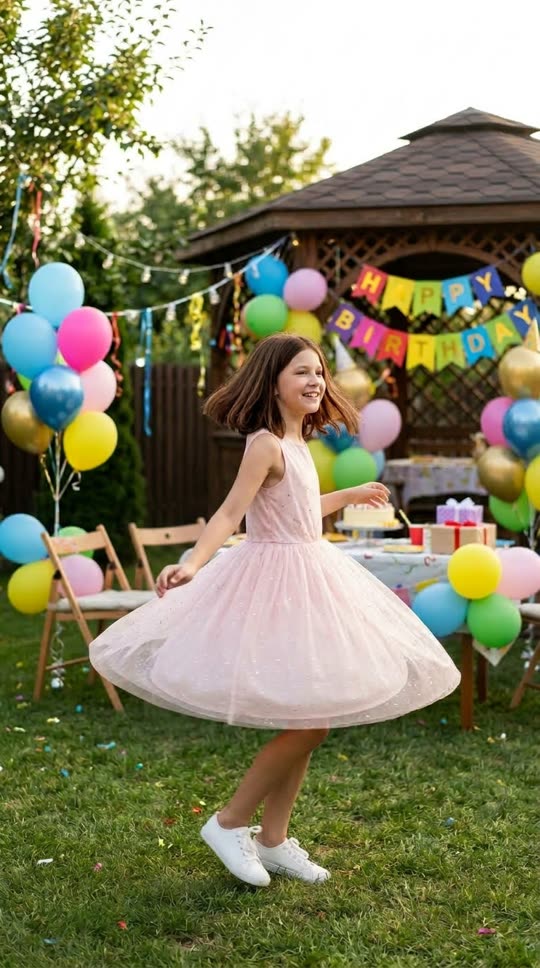
Before: one guest photo
After: the video made from that photo
When SnapDance is the wrong choice
Being direct about this will save you credits and time. Skip our app if any of these describe you.
- You need a specific dance that is not in the library. We cannot make it on request.
- You want to show that you can really dance. The clip shows you in a dance, but you did not perform it. If the point is your skill, film yourself.
- You need a long video. Typical output is 10 seconds, with 20 and 30 second lengths on some dances.
- You want an original routine of your own. The library is made of existing choreography.
- You are fine with filming and just want practice. A phone and a few takes may be simpler than anything generated.
In those cases a stand-in dancer or your own phone is the better route, and an avatar tool is worth a look if you do not want your face in it at all.
Post it honestly
A generated clip of you doing a dance is not a recording of you doing a dance. Check the platform's current rules on labeling AI-generated content before you post, and follow them. In our view the joke usually works better when the audience is in on it, so a plain caption saying you made the clip with an AI tool costs you very little.
Use photos of yourself, or of people who have clearly agreed. Putting someone else's face into a dance clip without their say-so is a poor idea, whatever a tool technically allows.
If you are running an event, not making one post
The same idea works for groups. SnapDance also has an events product for planners, DJs, photo booth operators and venues. Guests scan a QR code, take or upload one photo, pick a dance and get their own video on their phone.
A venue screen can play the videos as they finish. Surprise mode lets staff photograph attendees for a coordinated reveal. The planner's logo and text can be placed on every video, and photos go through a moderation check before rendering.
Pricing is per video, not per hour. These are the published packages:
| Package | Videos | Price |
|---|---|---|
| Mini Event | 25 | $149 |
| Intimate Event | 50 | $299 |
| Signature Event | 150 | $699 ($4.66 per video) |
| Large Events & Activations | Custom | Custom quote |
Extra video packs exist, but they are not priced publicly, so ask rather than assume.
There is no hardware, no transport and no operator, which is the appeal. It also has two weak points. It depends on venue connectivity, so a venue with bad reception is a bad fit. And the other thing that goes wrong on the night is that nobody announces it to guests, so assign someone to tell people it is there.
See how per-video pricing and QR code sharing work for your next event.
Questions people ask
Can I make a TikTok dance video from just one photo?
Yes, with a photo-to-dance tool. In SnapDance you upload one photo of yourself, pick a dance from the library, optionally pick music, and a short clip of you doing that dance renders in a few minutes. Output is typically 10 seconds.
Is there a free way to make an AI dance video of myself?
New SnapDance accounts get free credits before any payment. Free renders carry a small watermark, while paid credits and the subscription render clean.
Can I make an AI video of me doing any dance I want?
No, not with this app. You choose from a library of templates taken from real choreography, and you cannot request an arbitrary movement. If the dance is not in the library, the answer is no.
How long does an AI dance video take to make, and how long is it?
Rendering takes a few minutes. The clip is typically 10 seconds long, with 20 and 30 second lengths available on some dances.
Do I need to tell people my TikTok dance video is AI-generated?
Check the platform's current rules on labeling AI-generated content and follow them. Even where it is not required, saying so in the caption is a good habit, and it usually makes the clip funnier.
Can I use this at a wedding or party so guests get their own dance videos?
Yes, there is an events version. Guests scan a QR code, upload or take one photo, pick a dance and get their own video on their phone. It is priced per video, and it needs decent venue connectivity, so it is a poor fit for a venue with bad reception.