The best office holiday party activities are short, optional and low on spotlight pressure, because a workplace crowd mixes extroverts with people who would rather stay near the snacks. Trivia, a white elephant exchange, a prop photo booth and lighthearted awards all work with little setup. Karaoke works only with a self-selecting group. SnapDance, which makes an event product where guests scan a QR code, upload one photo and get a dance video of themselves, suits parties where you want something shareable without asking anyone to perform. It is the wrong choice if the venue has poor reception, if nobody will announce it, or if your group is uneasy about uploading photos. Packages start at $149 for 25 videos.
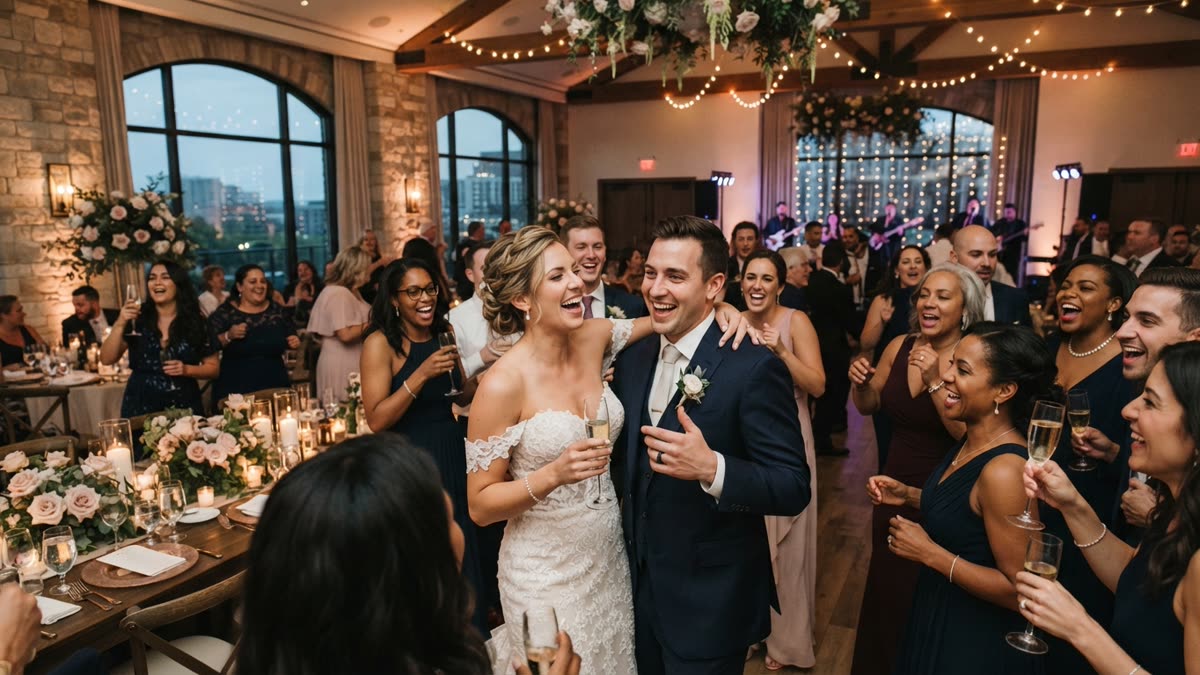
What an office party activity has to do
An office holiday party is an unusual audience. People know each other professionally but not always socially, the range of comfort with being watched is wide, and somebody senior is usually in the room. An activity that works at a friend's birthday can go badly here.
Before choosing anything, run it through a few plain tests:
- It is optional. Nobody should feel pushed to take part, and skipping it should cost nothing socially.
- It is short. People arrive late and leave early, so a game that needs everyone present for forty minutes will lose people.
- It does not require performing live. Singing or dancing in front of colleagues is a big ask for some of them.
- It runs without a host talking over the room. If one person has to run it all night, that person misses the party.
- It gives people something to talk about. The point is conversation between people who do not usually sit together.
None of these tests is a rule. Some teams love a loud, competitive evening. But if you do not know your crowd well, the safer ideas below are safer for a reason.
Classic ideas that still work
Most of these have been used for years because they are cheap and forgiving. Here is an honest note on each.
- Company trivia. Questions about the team, the product and office in-jokes. It works well in small groups at tables. Write the questions yourself and keep them kind, since a question that singles out one person can sour the mood.
- White elephant or gift swap. It creates laughter and light competition with no skill needed. It takes a clear set of rules and a spending limit, and it can run long if the group is large.
- Karaoke. It is brilliant with a self-selecting group and miserable if it feels compulsory. Treat it as a corner of the room, not the main event.
- A photo booth with props. Easy, familiar and low pressure. The photos tend to be forgotten unless someone shares them afterwards.
- Lighthearted awards. Categories like best desk plant or most likely to reply-all work when everyone is gently included. Avoid anything that could read as a comment on someone's work or personality.
- A quiet game corner. Board games or a jigsaw give people who dislike noise a way to join in without being on show.
- A charity raffle. It gives the party a purpose beyond the food, though someone has to handle the tickets and the prizes.
A good party usually mixes two or three of these, with at least one that suits quieter guests.

Where AI dance videos fit
One newer option is an AI dance video station. SnapDance makes this, so weigh what follows with that in mind. The events product works like this: guests scan a QR code, take or upload one photo of themselves, pick a dance from a library, and receive a short video of themselves doing it on their own phone. The dances are templates taken from real choreography, many from TikTok creators.
The appeal for an office is that nobody dances in front of anyone. A guest who would never step onto a dance floor can still take part, laugh at the result and send it to a friend. The videos are typically 10 seconds long, with 20 and 30 second lengths on some dances.
A few features matter for a company event:
- A venue screen can play the videos as they finish, so the room sees them without anyone gathering around a phone.
- The planner's logo and text can be placed on every video, which suits a company name or a holiday message.
- Photos go through a moderation check before rendering.
- There is no hardware, no transport and no operator. It runs on guests' own phones.
- Surprise mode lets staff photograph attendees for a coordinated reveal, which can work for a leadership team or a retiring colleague.
The limits are real. Guests can only choose dances that exist in the library, so if someone asks for a specific move, the answer is no. Rendering takes a few minutes, so it is not instant like a photo booth print. And it is a side activity, not a replacement for a dance floor, a meal or a speech.
How the options compare
| Idea | Setup effort | Spotlight pressure | Works best when | Watch out for |
|---|---|---|---|---|
| Company trivia | Medium: someone writes the questions | Low in table teams | Seated dinners and mixed teams | Questions that single out individuals |
| White elephant | Low | Low to medium | Groups small enough to finish in a reasonable time | Large groups and unclear rules |
| Karaoke | Medium: equipment and a host | High | Groups that volunteer | Anyone feeling pushed to sing |
| Prop photo booth | Low to medium | Low | Casual standing parties | Photos that never get shared |
| Lighthearted awards | Medium | Medium | Close teams that know each other well | Anything that reads as criticism |
| AI dance videos (SnapDance events) | Low: no hardware, but someone must announce it | Low: the guest never performs | Venues with good phone reception and a screen | Weak connectivity, no announcement, photo concerns |
The table is a judgment, not a measurement. Your own team's habits will matter more than any general rule.

Before: one guest photo
After: the video made from that photo
How to run an AI dance video station
If you decide to try one, the steps are short but each one matters.
- Check the venue's reception first. Guests need to upload a photo and receive a video, so the activity depends on connectivity. Test it in the room, not in the lobby.
- Choose a package that matches your headcount. Pricing is per video, not per hour, so a longer party does not cost more. A guest who makes several videos uses several.
- Add your branding. Put the company name, the year or a short holiday message on every video so the clips double as a keepsake.
- Put the QR code where people will see it. A table card, a poster near the bar or a slide on the venue screen all work.
- Have someone announce it. This is the failure that comes up most. If nobody tells guests the station exists, most will walk past the QR code. A line from the host or a mention in the invitation is enough.
- Put the screen to work. If the venue has one, play finished videos as they arrive so the activity feeds itself.
If this sounds like a fit for your party, you can see how the events product works and what is included here: If you want to know what the party package includes and how it is priced, see the SnapDance events product.
When SnapDance is the wrong choice
Being plain about this saves you money and a flat evening. SnapDance events is probably the wrong purchase if any of these apply.
- The venue has poor reception. Without a decent connection, guests cannot upload photos or receive videos. A basement restaurant or a remote lodge is a bad fit.
- Nobody will announce it. A quiet QR code on a table is easy to miss. If no one can spend ten seconds telling the room, expect low use.
- Your team is uneasy about uploading photos. Some workplaces have privacy rules or a reluctant crowd. Moderation checks photos, but it does not change how people feel about sharing their face.
- You want live entertainment. This is a phone and screen activity. If you want a band, a DJ set or a comedian, it is not a substitute.
- You want a specific dance or custom movement. The library is fixed. If the dance is not in it, it cannot be made.
- Your headcount is very small and a free tool will do. A handful of colleagues can try the consumer app on their own phones without booking anything.
In any of those cases, trivia, a gift swap or a prop booth will serve you better and cost less.
What the event packages cost
SnapDance prices the events product per video, not per hour. These are the published packages:
- Mini Event: $149 for 25 videos.
- Intimate Event: $299 for 50 videos.
- Signature Event: $699 for 150 videos, which works out to $4.66 per video.
- Large Events and Activations: a custom quote.
Extra video packs exist, but their prices are not published, so ask rather than assume. Because the unit is a video and not a guest, a team where many people make two or three clips will use more than a team where each person makes one. Think about how engaged your crowd is when you pick a size, and leave some margin.
Try a clip yourself before you decide
The simplest way to judge whether this suits your team is to make one clip. The consumer app lets you upload a single photo, pick a dance from the library, optionally choose music and get a short video back after a few minutes. New accounts receive free credits before any payment. Free renders carry a small watermark, while paid credits and a subscription render clean.
That gives you a feel for the quality, the timing and the kind of dances available, which is more reliable than a description. Show the result to two or three colleagues and see whether they laugh or wince. Their reaction is a better guide to your party than any list of ideas. You can start here: If you want to see what a finished clip looks like before you plan anything, try the SnapDance app.
Questions people ask
What are some good interactive activities for an office holiday party?
Company trivia, a white elephant gift swap, a prop photo booth, lighthearted awards and a quiet game corner all work well because they are optional and low pressure. Karaoke suits groups that volunteer. AI dance video stations, such as the SnapDance events product, suit parties with good phone reception where you want a shareable keepsake without asking anyone to perform.
How do I get shy coworkers to join in at a holiday party?
Pick activities that do not put people in the spotlight, and make everything optional. Table-based trivia, a gift swap with clear rules or a station where guests make something on their own phone let quieter people take part at their own pace. Avoid anything that requires performing live in front of the group.
How much does an AI dance video activity cost for an office party?
SnapDance events is priced per video, not per hour. The published packages are Mini Event at $149 for 25 videos, Intimate Event at $299 for 50 videos and Signature Event at $699 for 150 videos, which is $4.66 per video. Large events get a custom quote. Extra video packs exist but their prices are not published, so ask the company directly.
Does an AI dance video station need any equipment?
No. SnapDance events needs no hardware, transport or operator. Guests scan a QR code and use their own phones. A venue screen is optional but useful for playing finished videos. The main requirement is good phone reception in the room, since uploads and downloads depend on it.
Can guests pick any dance they want for an AI dance video?
No. Guests choose from a library of dance templates taken from real choreography, many from TikTok creators. If a dance is not in the library, it cannot be made. Videos are typically 10 seconds long, with 20 and 30 second lengths on some dances, and rendering takes a few minutes.